
beemNet: your trusted gateway to the internet
When you are connected to the internet through beemNet, your data traffic is actively monitored to protect you from online dangers such as phishing, malware, and other cyber threats. Thanks to intelligent and privacy-respecting analysis, combined with the way beem anonymises your identity, you are very well protected online.
There are three different ways in which beem handles your data traffic, depending on the source of the traffic and the security settings configured by your beem administrator. To help explain how this works, imagine your data traffic is like receiving a letter in the mail:
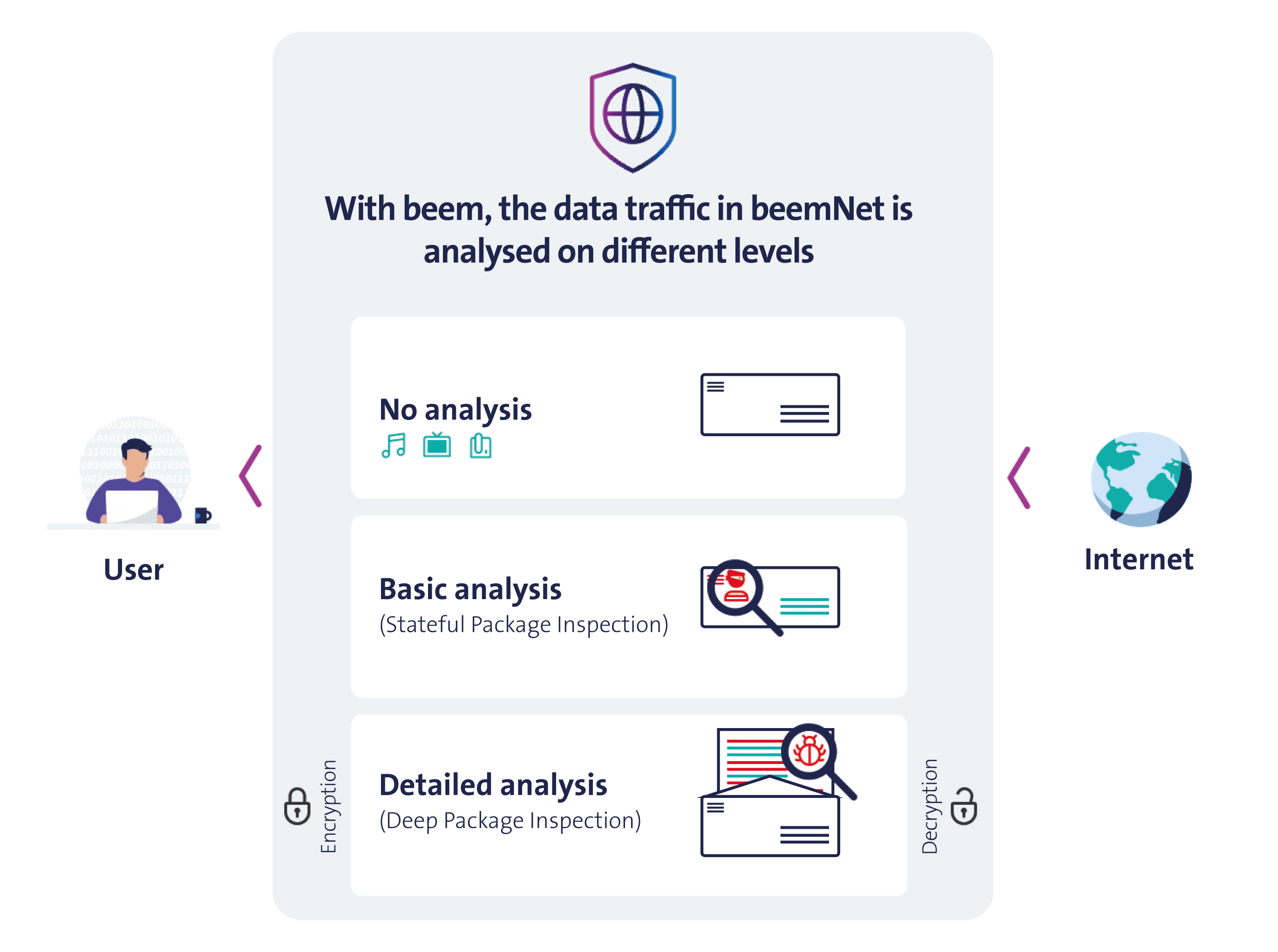
No analysis
If you receive a letter from someone you trust, you do not need to inspect it. That is how Data Traffic Optimisation works: beem verifies the trusted source and then directly delivers the letter to you.
beem can tell the difference between data that needs inspection and data that is safe—like Swisscom-owned services and trusted sources like Microsoft Teams, Google Maps and Spotify. This prevents unnecessary data traffic inspections, which frees up a lot of beemNet's bandwidth and thus enables a smooth and responsive user experience.
Basic analysis
Stateful Packet Inspection (SPI) forms the baseline of all data traffic inspection. Think of it like examining the outside of a letter: beem checks the sender, the recipient, and the type of envelope. If anything looks suspicious, the letter is blocked.
In internet terms, this means the beem App inspects elements such as website addresses, protocols, and certificates. If a website is known to be harmful, like a phishing website, access is automatically blocked to protect the user.
Detailed analysis
Deep Packet Inspection (DPI) is used to perform an in-depth analysis of data traffic and can be employed on top of SPI (beem Security Level 2 and upward) by your beem administrator. In this case, it is not only like checking the outside of a letter (SPI) but also opening it to examine its content. If the content is harmful, the letter is blocked.
For DPI to work, a trusted Root Certificate Authority (Root CA) must be installed on the device running the beem App. This certificate allows encrypted data traffic—such as HTTPS websites or mobile app data—to be inspected. The Root CA for beem (Swisscom beemNet Root CA) is issued and signed directly by Swisscom and automatically installed your device by the beem App.
If you delete the Root CA or its trust is revoked, the beem App will automatically reinstall it:
- Windows: The certificate is silently reinstalled in the background.
- macOS: The certificate is reinstalled during the next reconnection to beemNet. macOS will prompt for an authentication, and your successful authentication confirms the installation. If you do not confirm, the beem App will display a permanent message and will block the connection to beemNet.
- iOS and Android: The next time the beem App is opened, onboarding screens will guide you through reinstalling the certificate or renewing trust. The beem App will remain in this state, and connecting to beemNet will be disabled, until the certificate is successfully reinstalled and trusted.
Privacy
Swisscom takes your privacy very seriously. All data traffic analysis is performed automatically by machines, and it happens entirely within Switzerland. No one—not Swisscom employees, partners, or even your company’s beem administrators—can see the contents of your data.
INFO
Many trusted apps in Switzerland—e.g., Twint, SBB, and various mobile banking apps—employ advanced security measures to protect your data. This ensures that if someone attempts to intercept the connection, they will not be able to decrypt or read the information. beem fully respects these protections, which is why only basic analysis (SPI) is applied in such cases.